Making A Game In Desmos
Introduction
When I started calculus and graphing became a fundamental part of my courses, Desmos naturally presented an intuitive and appealing way of displaying functions. I quickly became interested in the different elements that could be modified to varying degrees of success. After some exploring, I stumbled across the Desmos Art Competition, which gave me the idea to see if it was possible to program a game within Desmos.
What Is the Game
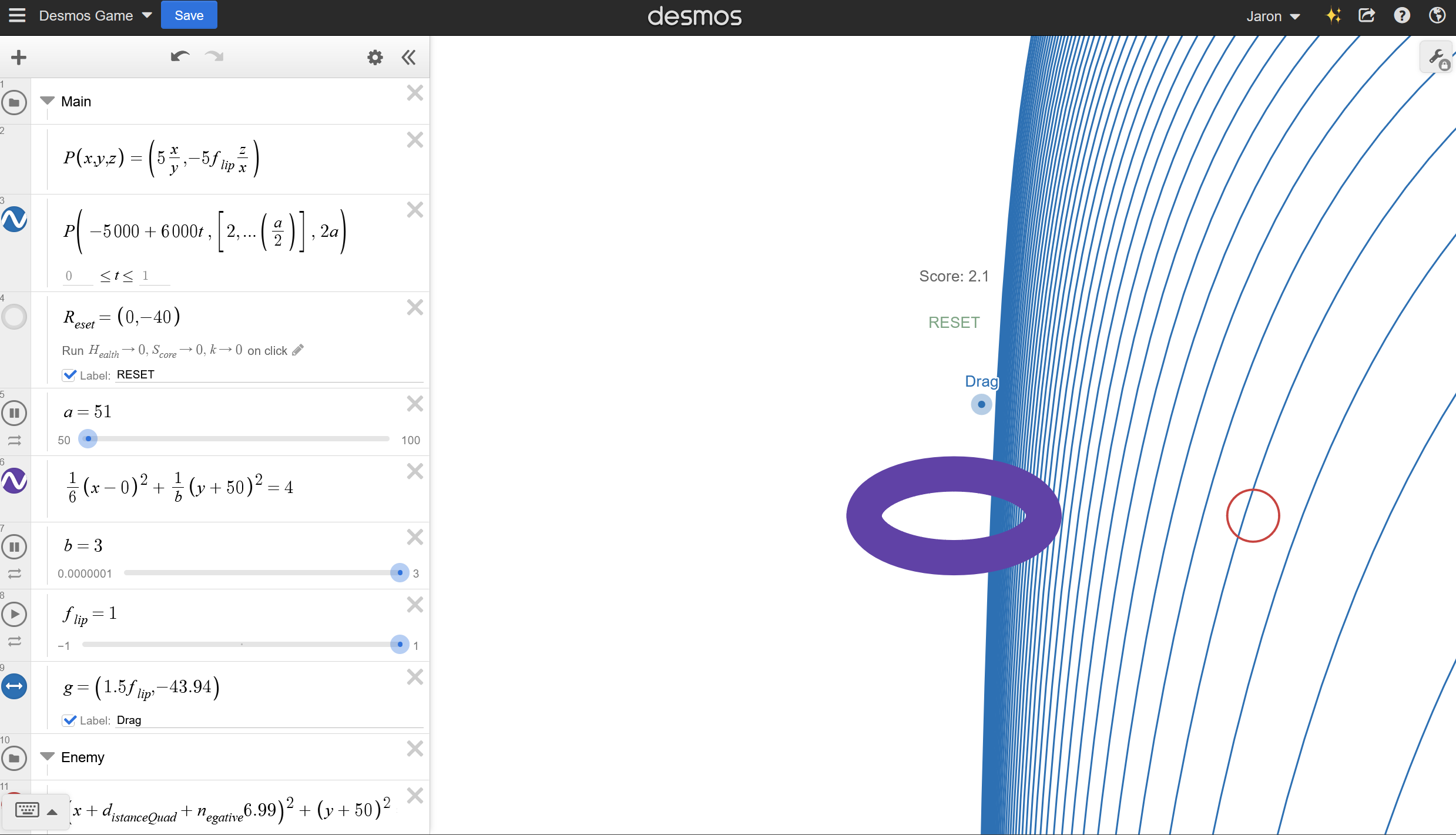
The idea behind the game was to make it similar to some of the first games with simple objectives such as Pong and Galaga. The idea materialized as a bagel shaped character who needed to shield from oncoming projectiles using a wall.
Functions and Graphical Elements
To display what the user sees, Desmos is limited to using functions and area. Despite these limitations, as there is a seemingly infinite amount of functions, making interesting and appealing shapes is doable.
As for the wall that shields the character, it was made using a multivariable function which is able to be reversed using a multiplier that is either equal to 1 or negative 1. Then, to make the motion more fluid, a changing variable was added to the parameter of the function to create an interesting effect
For the main character, the standard formula for an ellipse was used, but a changing variable was added to create the illusion of spinning.
The projectile was made to be a circle which follows a straight line path which slows down quadratically. Then at a certain interval, switches from one side to the other.
Logical Operators
In order to make any simple game, there needs to be a way to get an input and an output based on what is currently going on. Desmos provided a unique challenge in finding these as they needed to be defined mathematically. To learn how making different logical operators within Desmos works, trial and error along with looking through forums was done.
Calculating Health
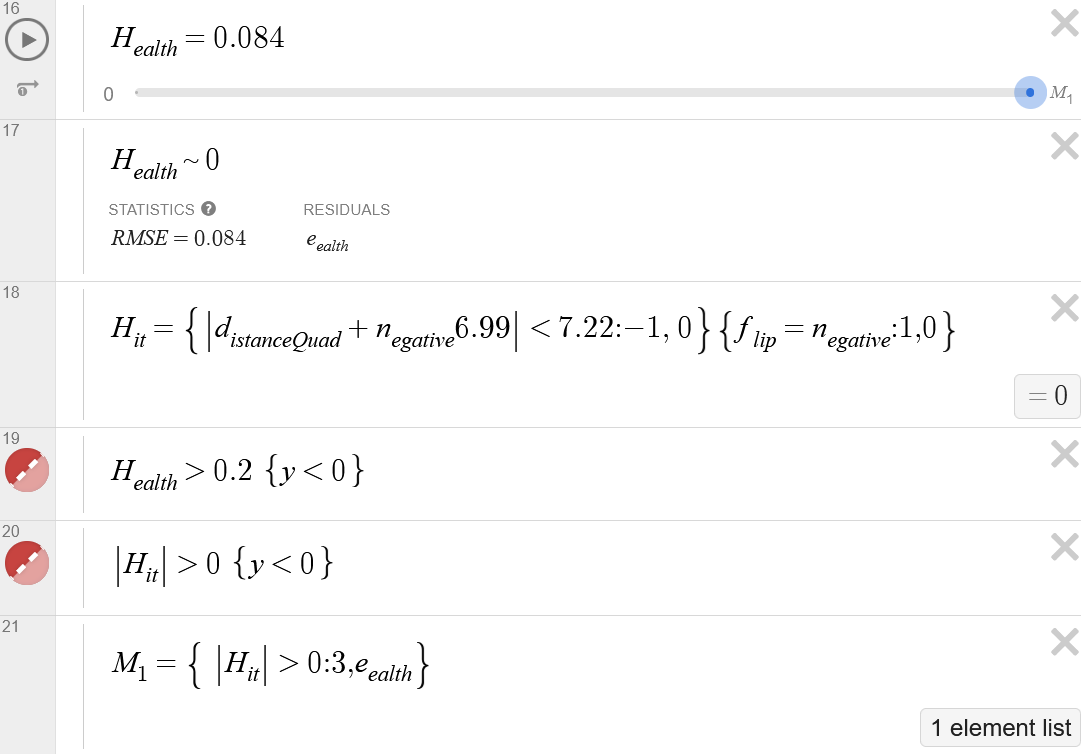
To calculate the current health value of the player, several attributes were employed. The first part that the program checks for is whether a collision between the character and the projectile has occurred using the $H_{it}$ command. This effectively acts as an if statement that says if the character is touching the projectile AND the shield is on the opposite side as the projectile, Then output -1, otherwise output 0. Then as seen in line 20, the screen briefly flashes red if $H_{it}$ $= -1$.
Line 16 shows a bound from $0$ to $M_{1}$, which is defined in Line 21. There it says if hit, briefly increase the bound to allow $H_{ealth}$ to increase, otherwise, it freezes the current value for $H_{ealth}$.
Finally, the entire screen goes red once $H_{ealth} > 0.2$.
Calculating Score
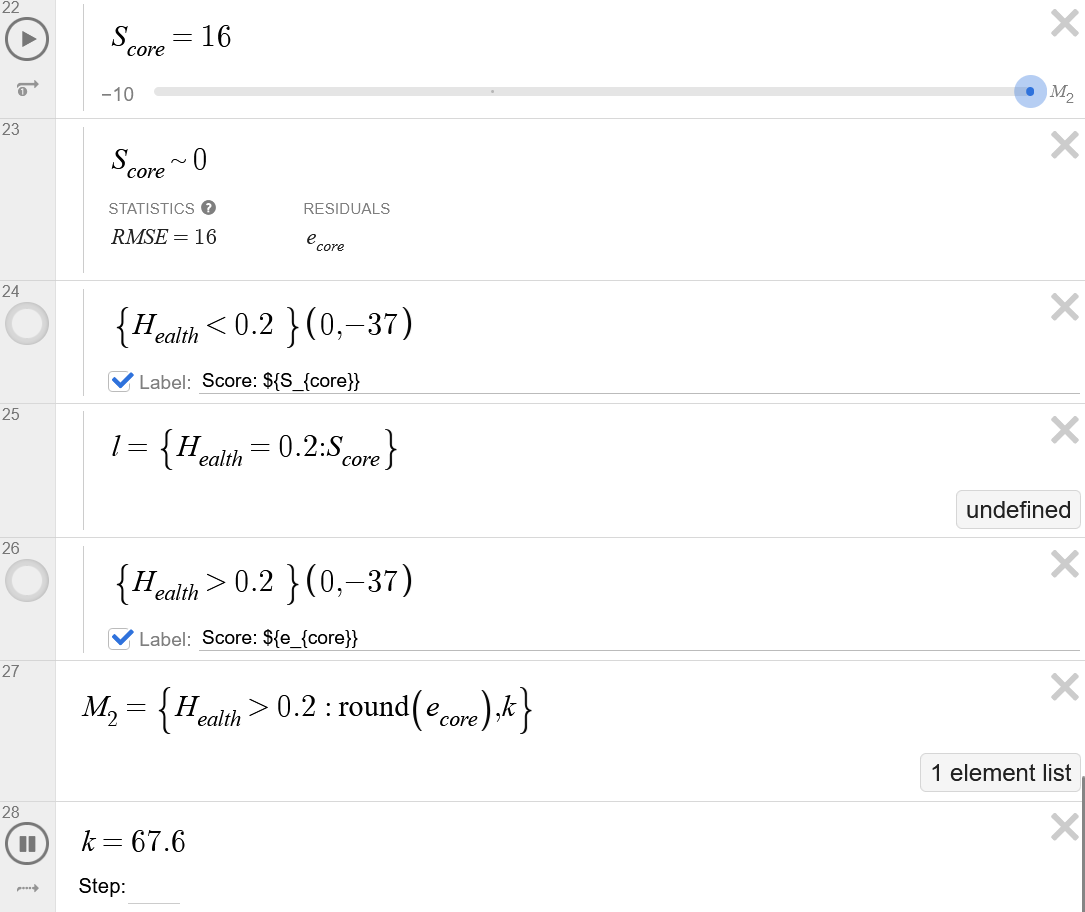
The score is calculated in a similar way to the health with the bounds, however, in this case there is a variable, $k$ which always increases unless $H_{ealth} > 0.2$.
Other Controls
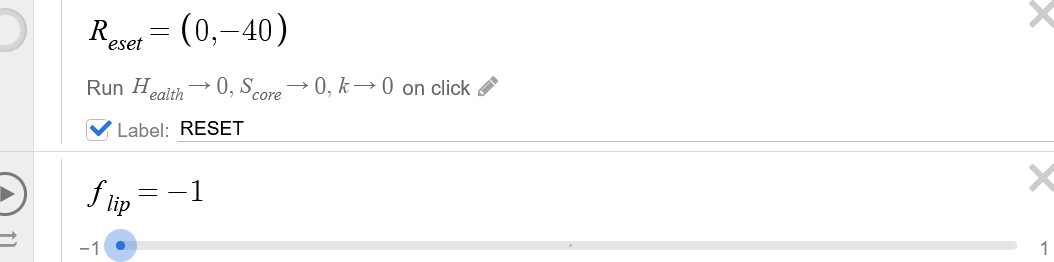
When clicked, The \(R_{eset}\) button restarts the game. The \(f_{lip}\) variable changes the side which the wall resides on.
Video and Link To Graph
You can play the game here: https://www.desmos.com/calculator/ylcjlntutr